
01
Your agents
The agent CLIs you already use — Claude Code, Codex, Grok, Gemini CLI, opencode, aider — launched exactly as your shell would, on your own accounts.
Real terminals for every agent, a task board they keep current, and your iPhone to answer them.
Skipper is a Mac app — it isn’t available on this device. On iPhone there is Skipper Remote, the companion to the Mac app.
macOS 13.0 or later · Apple silicon · notarized by Apple · one-click updates
Every agent in a real terminal. The whole fleet on one screen. You at the helm.
NATIVE macOSFor every agent CLI you already use
Every agent gets a real terminal. Skipper shows who is working, who is stuck and who is waiting for you — on your Mac and on your iPhone.
Runs the agents you already have, on your own accounts
One window · the whole fleet
How it works
01
The agent CLIs you already use — Claude Code, Codex, Grok, Gemini CLI, opencode, aider — launched exactly as your shell would, on your own accounts.
02
Gives every agent a real terminal, keeps the work on one task board — for code, each task in a git worktree of its own — and watches who is working, stuck or waiting.
03
One look at the window, or a notification on your iPhone, tells you who needs you. Answer, and the agent carries on.
What people run in Skipper
Skipper doesn’t care what the agent is working on. Code is one of the jobs — not the only one.
Fix, test, review, ship — each task in a git worktree of its own.
Competitor teardowns, market scans, digests of a hundred sources.
Specs, articles, translations, a knowledge base that stays current.
CSV in, weekly report out — numbers checked, charts drawn.
Posts, newsletters, product copy, a content plan for the month.
Why Skipper
With five agents working at once, you need to see at a glance who is making progress, who is stuck on a question and who finished ten minutes ago — and to give each of them a task and a workspace of its own, so they never step on each other’s work. Skipper is that control room.
01
Every pane knows what runs inside it: which agent, whether it is mid-turn, whether it needs you and how much context it has left. The sidebar and the menu bar sum it up, and ⌘J takes you straight to the agent that is waiting.
02
A task holds the brief, the plan, attachments, runs and results. Start it, and Skipper launches an agent on it — in a git worktree of its own for code, right in the folder for everything else; the agent reports its progress back to the card with Skipper’s built-in tools.
03
Skipper Remote brings any pane to your iPhone as a clean, readable feed, lets you know the moment an agent needs an answer, and lets you reply from anywhere.
New in Skipper
The latest releases give your agents a voice on your iPhone and, when you allow it, a cursor of their own on your Mac. Here is each of them, the way it actually plays out.
New · Skipper calls you
When an agent needs a decision, it puts a topic into one call queue on your Mac. Skipper rings your iPhone with everything that is waiting, the voice assistant goes through it topic by topic, and your answer is typed to the agent when its turn ends — so it carries on without asking again.
New · Prototype · Your Mac
An agent can see the screen and work an app with a cursor of its own, in Skipper’s colour, while your mouse and keyboard stay with you. You allow each session — for 15 minutes, an hour or until you stop it — and name the apps it may touch. A plate in the menu bar breathes while the agent waits and blinks while it acts.
New · First launch
The first launch fills the window with a short tour: a live Skipper window lights up pane by pane, your agents line up by their logos — a check on each one found, the install command for each one missing — and the keys for your first minute press themselves. Then a setup plan lists what macOS will ask, one item at a time, and ticks each one off by itself.
Features
A task board, a roadmap, schedules and an iPhone in your pocket — around the terminals where the agents do the work. Code projects get a worktree per task, a launcher for the project’s own targets and a built-in editor on top.
01 — Tasks
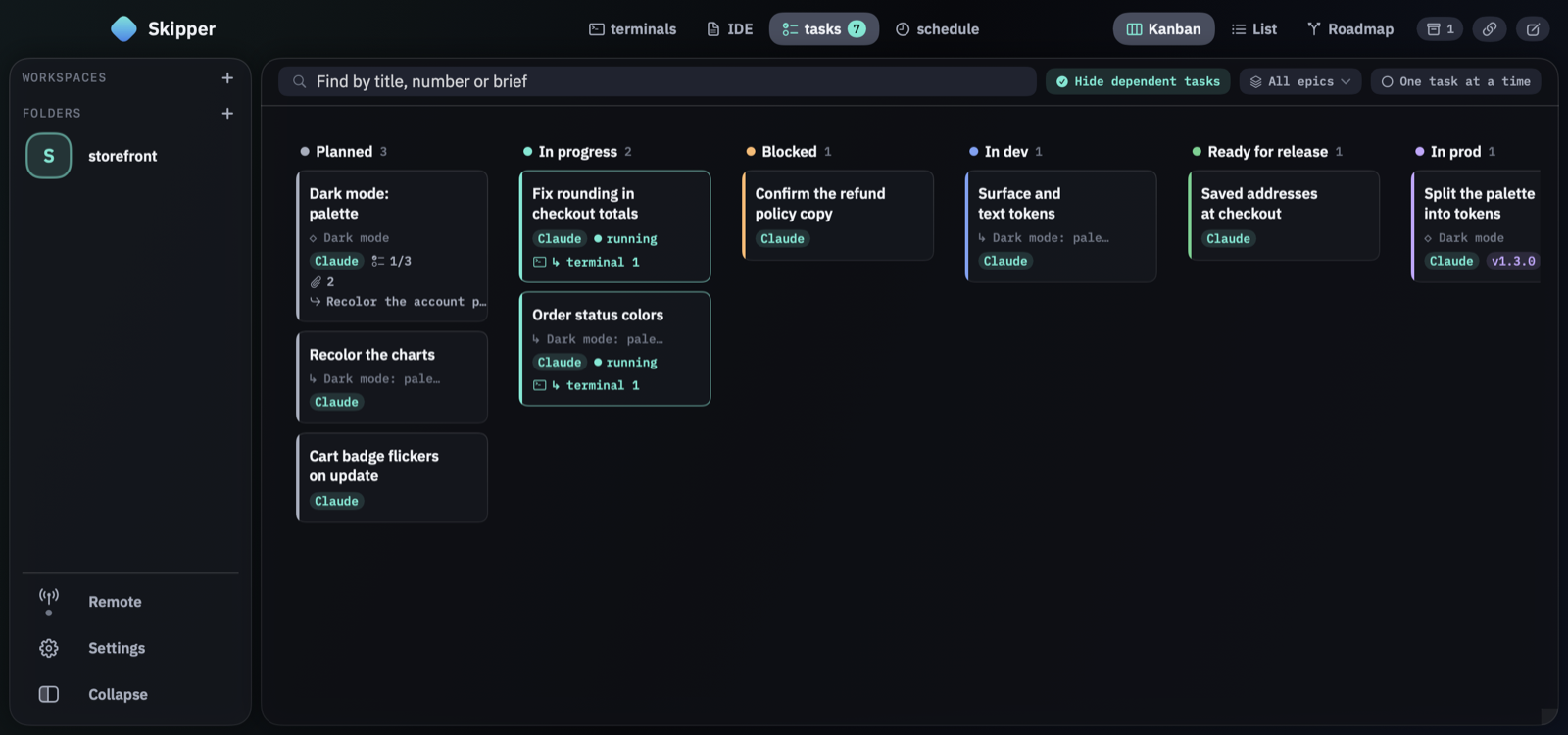
Kanban, list and roadmap views over the same tasks — a research brief, a report and a bug fix side by side. Agents create tasks, break them into subtasks, report progress and close them with the skipper_* tools.
02 — Roadmap
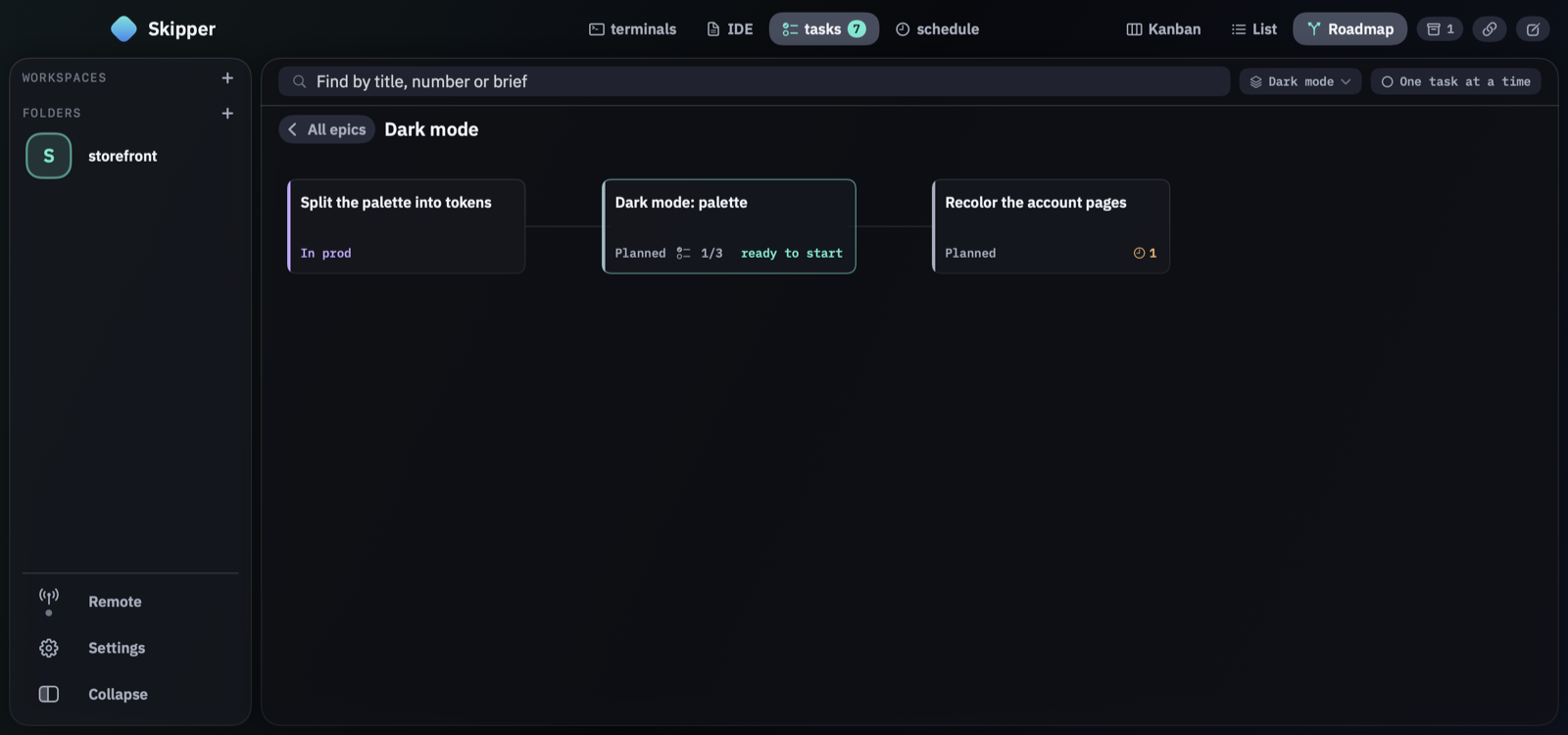
Group work into epics and order it with dependencies. The roadmap shows what is done, what can start right now and what is still waiting on something else.
03 — Terminals
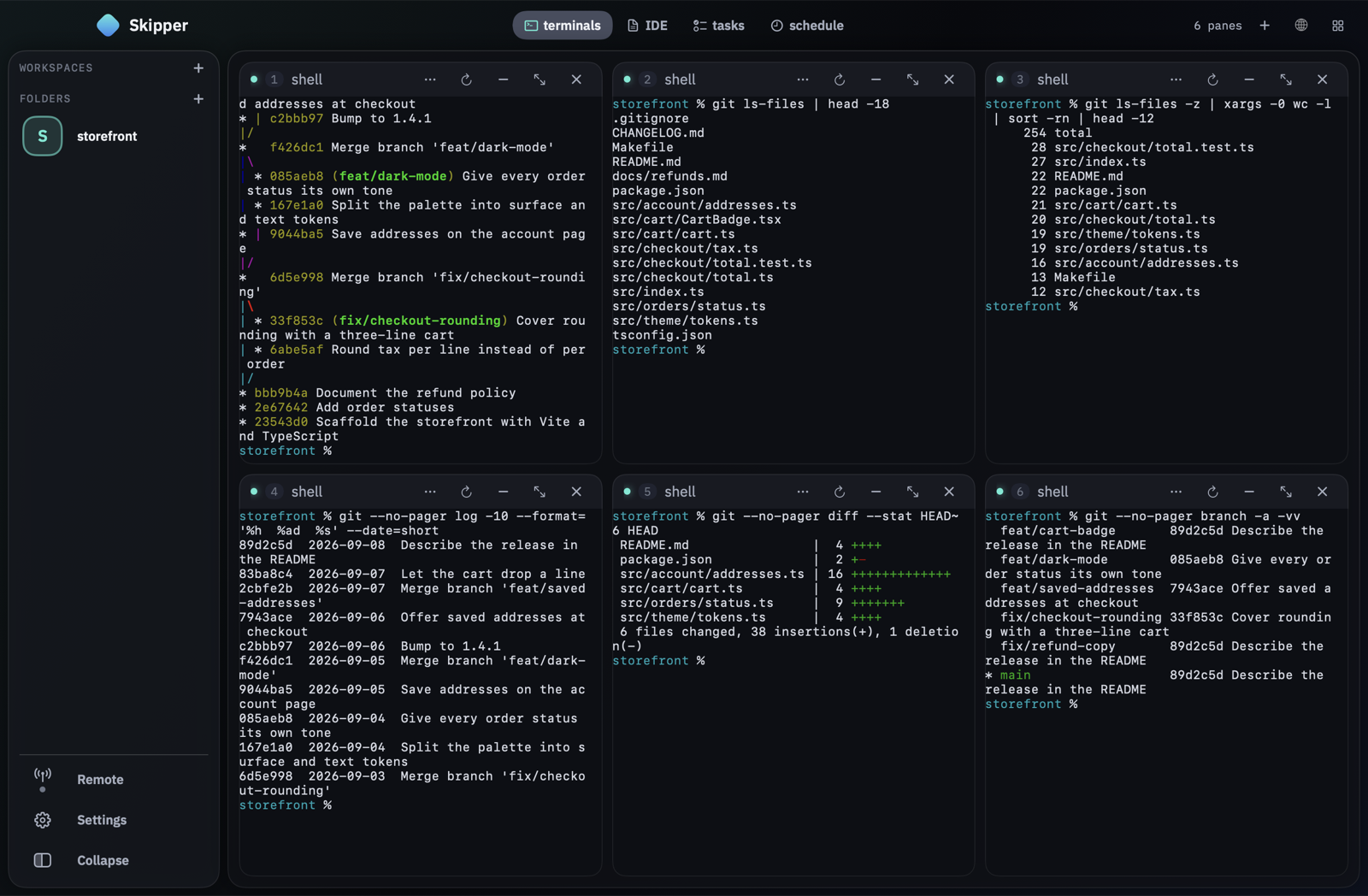
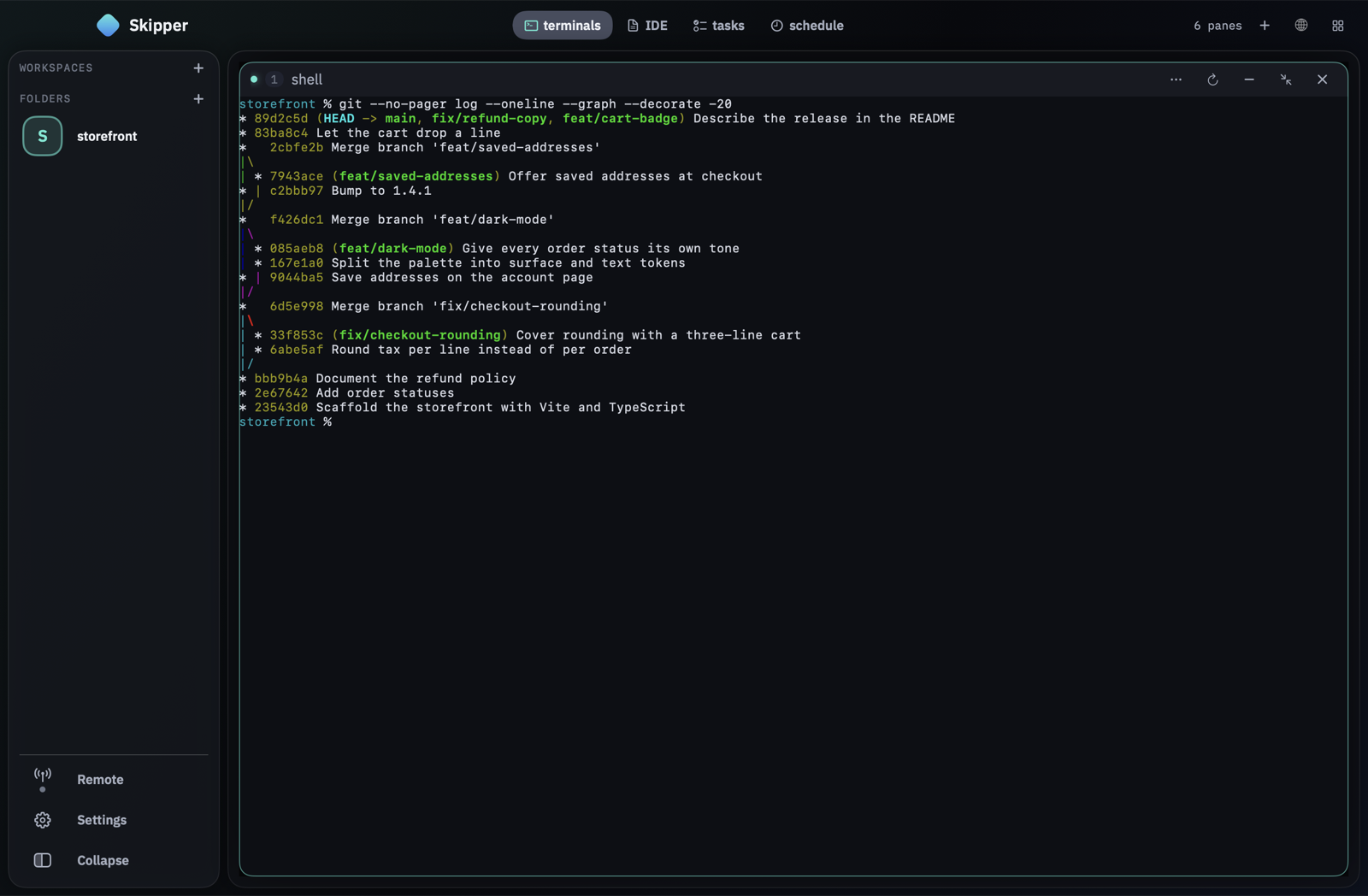
Every pane is a real terminal. Expand one to fill the window, collapse it into a strip, tile freely or spread the grid on a zoomable canvas.
04 — Launcher · New
⌘K opens a tile for every agent installed on this Mac — Claude Code, Codex, Grok, Gemini CLI, opencode, aider — and one for a plain terminal. A click or a digit adds a pane, ↩ starts them all: ⌘K 1 1 3 ↩ gives two Claude panes and one Codex pane without touching the mouse.
05 — For code projects · Review
Any pane expands to fill the window and returns to the grid in one click. The agent inside keeps its session, its history and its place in the turn.
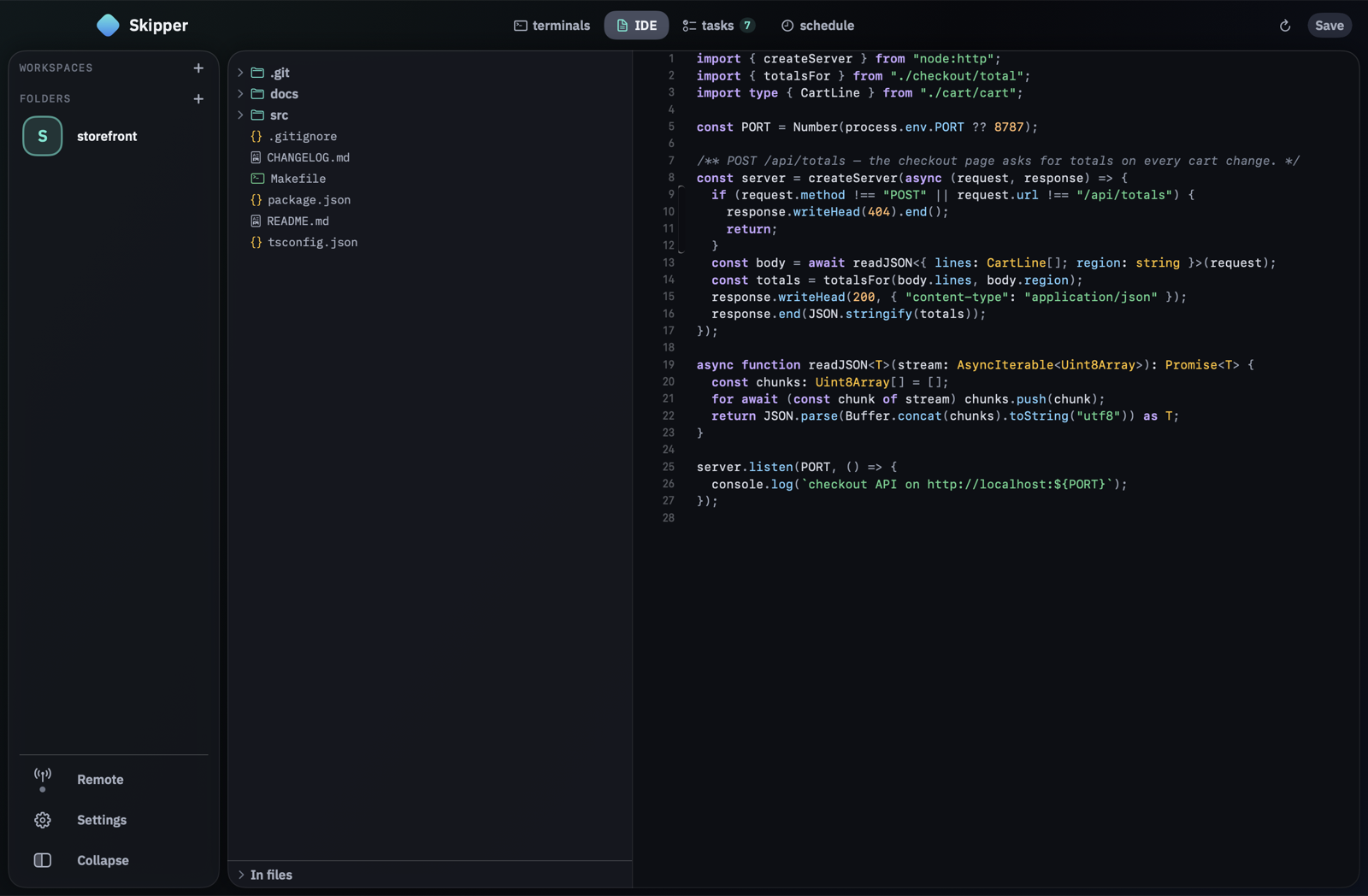
A file tree, search by name and by content, tree-sitter syntax highlighting and an editor that saves.
And more
Long sessions
Skipper tracks how full each agent’s context window is and, past a threshold, hands the work to a fresh session of the same agent, together with a brief of where things stand.
Fleet coordination
A bundled MCP server gives agents project-wide locks, shared notes, unique numbers and messages to a teammate’s pane. Schedules start work on their own.
Beyond your laptop
Server tabs connect over ssh and live in tmux on your server, so remote agents keep going when the lid is closed. Skipper creates the key, installs it and writes the ssh_config entry for you.
ssh and tmuxOpen a web page right in the grid, next to your terminals — or let an agent open one for you.
Group related project tabs under one name in the sidebar and start a new tab with its agents already in place.
Mute a tab or a workspace for an hour, a few hours or until you turn it back on.
Skipper Remote · iPhone
Skipper Remote is the iPhone companion to Skipper. It pairs with your Mac with a QR code, and everything between the two is end-to-end encrypted. The bell answers one question: who is waiting for you.
On TestFlight — write to us for an invite. The Mac app is complete on its own.
Changelog
Skipper ships often. Here are the latest releases; every update brings its full release notes into the app.
0.38.1Latest
0.38.0
0.37.0
0.36.0
0.35.0
0.34.0
Before you start
PATH claude, codex, grok, gemini, opencode or aider. Skipper launches them exactly as your shell would: no proxy, no API keys of its own, just your existing accounts.git for code projects each task gets a worktree of its own. A folder without git runs tasks in place.ripgrep (optional) fast project search in the built-in editor that respects .gitignore.skipper_* agent tools install in one click: Settings → Agents → Install the agent integration.
Skipper keeps itself up to date. When a new version is out, one click installs it and relaunches the app — and before it does, Skipper tells you what will happen to any panes that are still working.
Skipper is a Mac app — it isn’t available on this device. On iPhone there is Skipper Remote, the companion to the Mac app.
macOS 13.0 or later · Apple silicon · notarized by Apple · one-click updates
Privacy
No account, no sign-in, no crash reporting, and no usage statistics unless you say Allow — even then only counts, never a path, a task or a line of your terminal. The phone mirror and a shared board link work only once you turn them on, and the update check sends nothing but the app’s version. Everything else stays on your disk — the privacy policy lists every channel.
Questions, bug reports and feature requests: support-skipper@chbnk.one.